RCS for trades and local services
Keep your customers posted. One message does it.
Share new opening hours, holiday dates or seasonal offers in a short, personal message. Add a button to call or save a date.
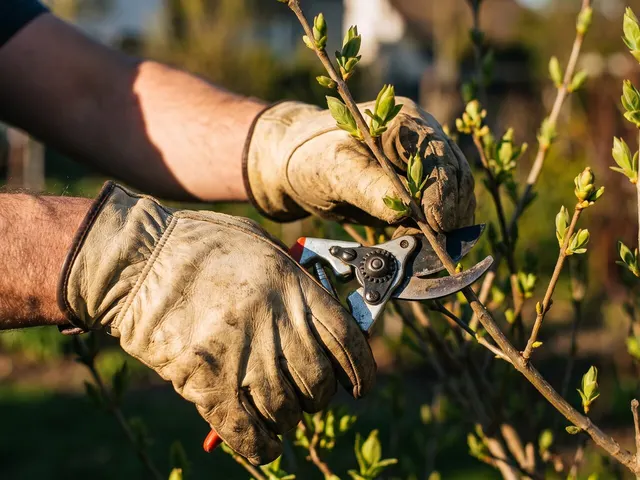
Spring pruning in March
We still have appointments available. Give us a call to book.
Call nowWhat could you send?
Give people a reason to come back. Here are a few things you could share with your regulars.
-
Opening hours and holidays
Share holiday closures, bank holiday hours or cover arrangements in a short message with a button to call.
-
Seasonal offers
Send a reminder when it’s time for spring pruning, boiler servicing or window cleaning. Use a photo or keep it to text.
-
Greet customers by name
Use a first-name placeholder and choose what appears if a name is missing. Check the result in the preview.
-
Use your business name
Your verified sender shows your business name, logo and brand colour.
Build the message in the Studio.
Add your image, text and button on the left. On the right, preview how the message looks on Android or iPhone using a contact’s details. Choose your audience and sender above the editor.
SendPling Studio in German, with sample data.

What you can do in the Studio.
- Images, carousels and buttons Send a single card or let customers swipe through up to ten. Each card can have its own button to open your shop or save a date, for example. Learn more
- Make it personal Greet contacts by first name and choose what to show if a name is missing. Check the result in the preview. Learn more
- Verified sender Show your name, logo, banner and brand colour. Follow each step of your sender review in the Studio. Learn more
- Contacts and segments Import contacts from a CSV, check each number for RCS and group contacts by rules such as when you last messaged them. Learn more
Four steps to your first message.
You can prepare your first campaign while your sender is under review.
-
Create an account
Set up your organisation and choose a plan in the Studio.
-
Submit your sender
Add your name, logo and brand colour, then submit them for review.
-
Prepare your campaign
While the review is in progress, import contacts, create segments and draft campaigns.
-
Send
Send your first message once your sender is approved and ready.
Frequently asked questions
Find more answers about plans and billing on the pricing page.
Do I need technical skills?
What do my customers see as the sender?
How much does it cost for a small business?
Prepare your first message.
Create an account and submit your sender for review. Import your contacts and prepare your first campaign while you wait. Once your sender is ready, you can send.
There’s no charge to create an account. Billing starts when you set up a sender.